Control Center
The Control Center is the recommended first-run and daily runtime surface for fls-pilot. It opens locally, keeps setup checks read-only against the FL Studio project, and shows the ports and MCP snippets your client should use.
Guided Setup
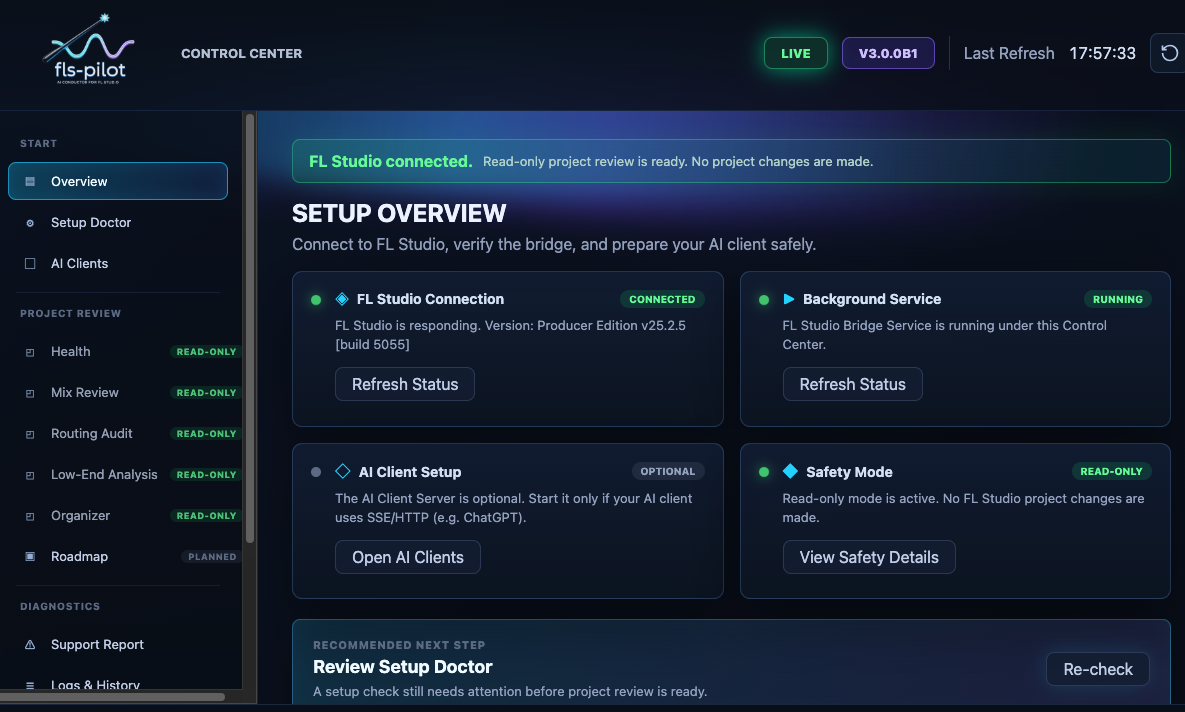
Use the guided setup before connecting an MCP client or starting write-capable workflows. It checks Python, dependencies, virtual MIDI ports, the FL Studio controller heartbeat, daemon status, SSE status, and the Piano Roll script bridge separately.
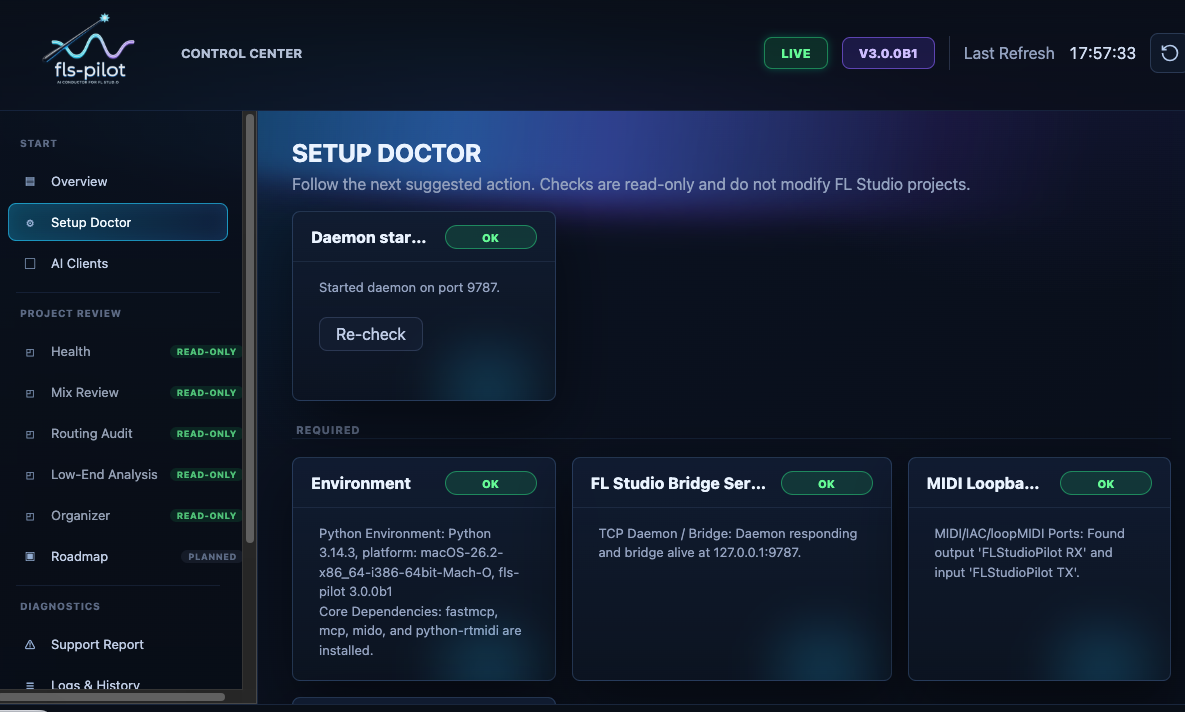
The checks are intentionally separated. A working MCP server does not prove that FL Studio is connected, and a running daemon does not prove that the controller script is receiving MIDI.
Dynamic Ports
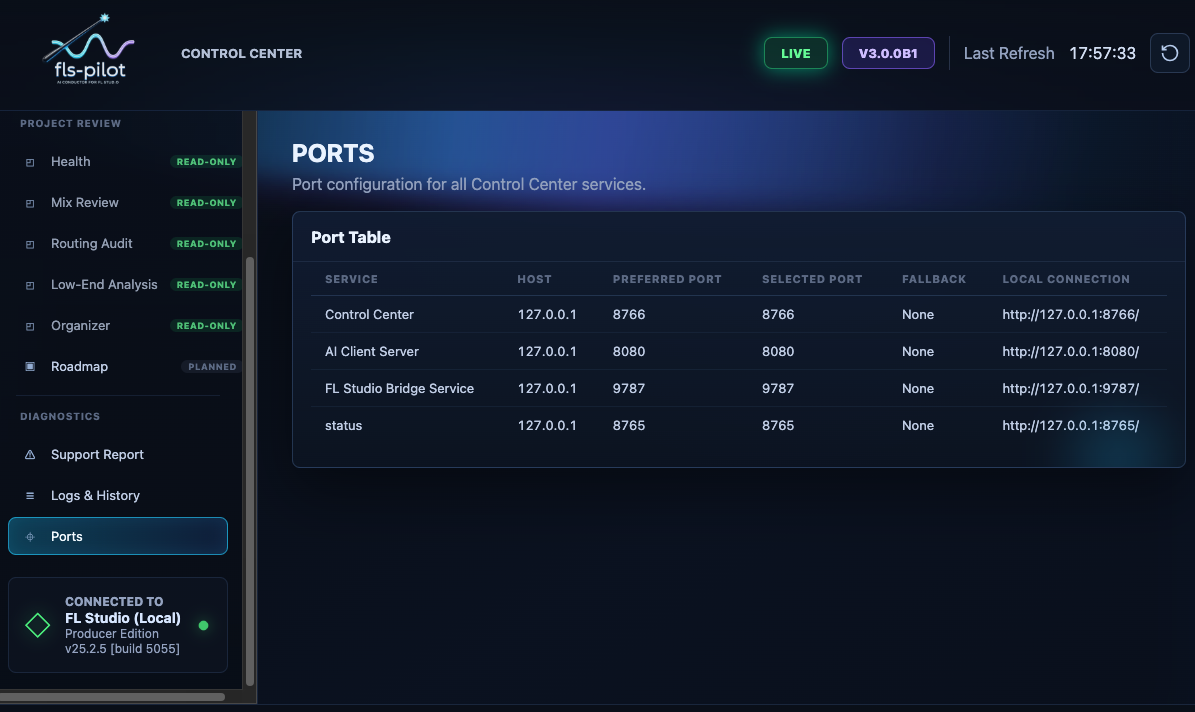
Default local ports are Control Center 8766, ChatGPT/SSE 8080, and daemon
9787. If a port is busy, Control Center chooses a fallback and updates the
displayed URL and client snippets.
Project Review Panels
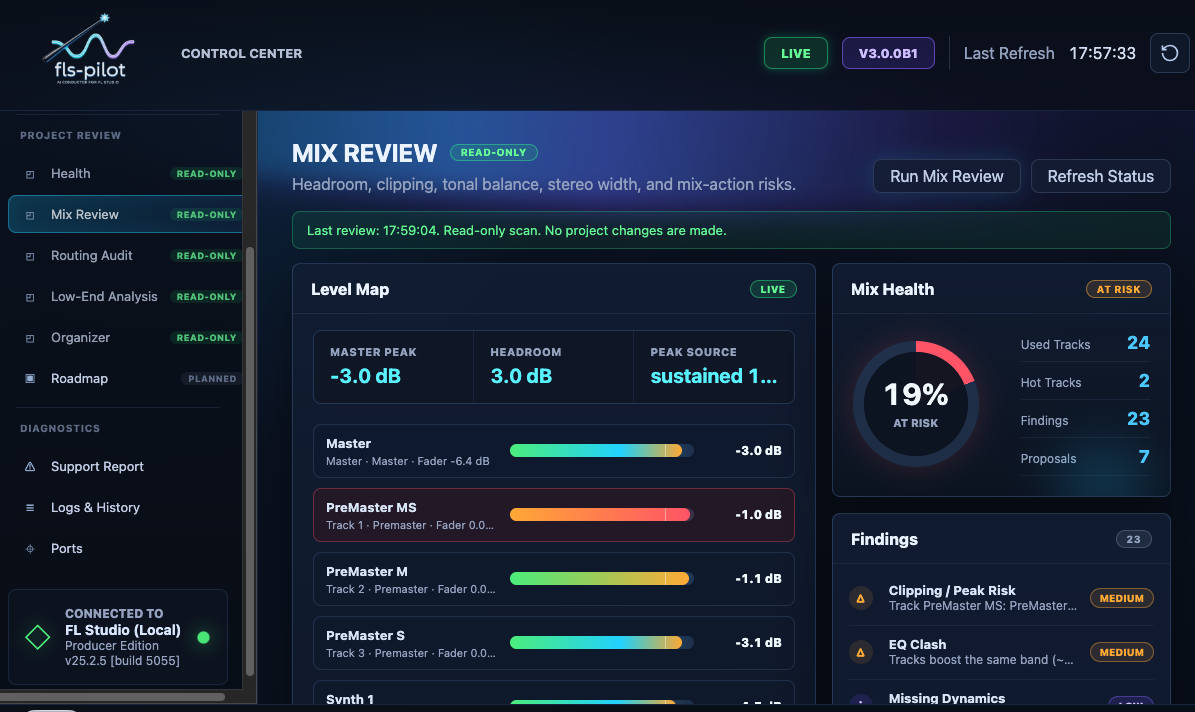
After setup, Control Center provides read-only review panels for common production checks.
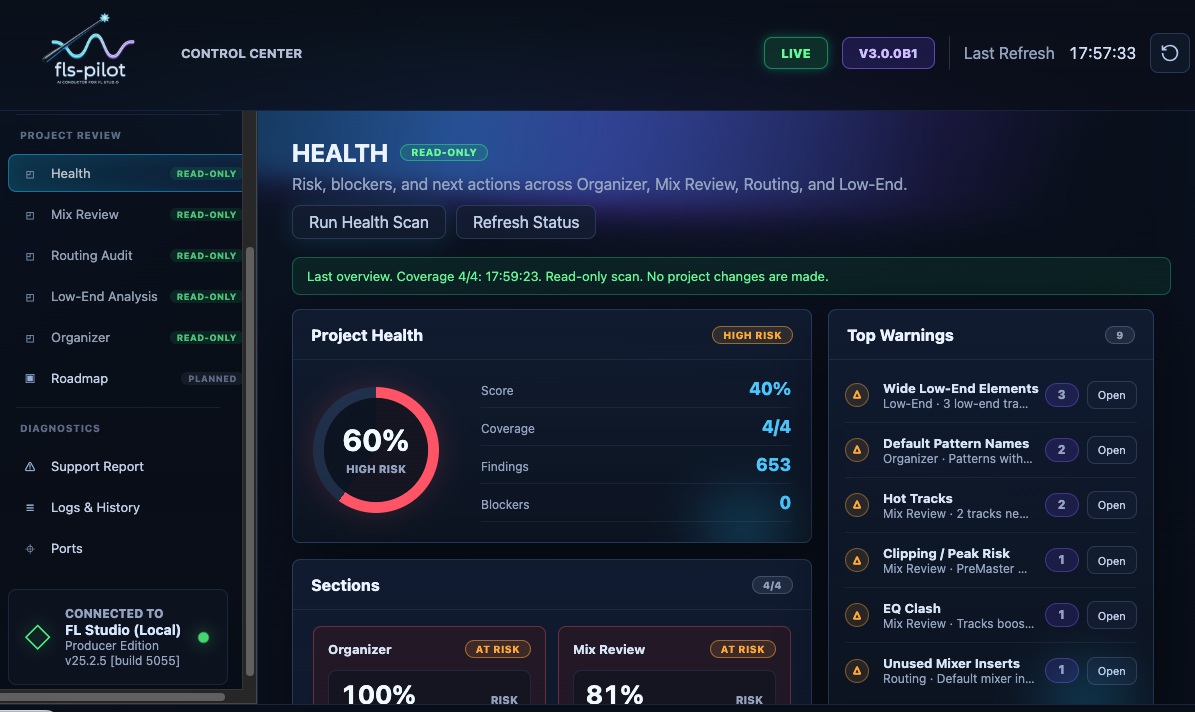
Mix Review and Low-End Analysis help find headroom, clipping, bass, and stereo risks before any edit is proposed.
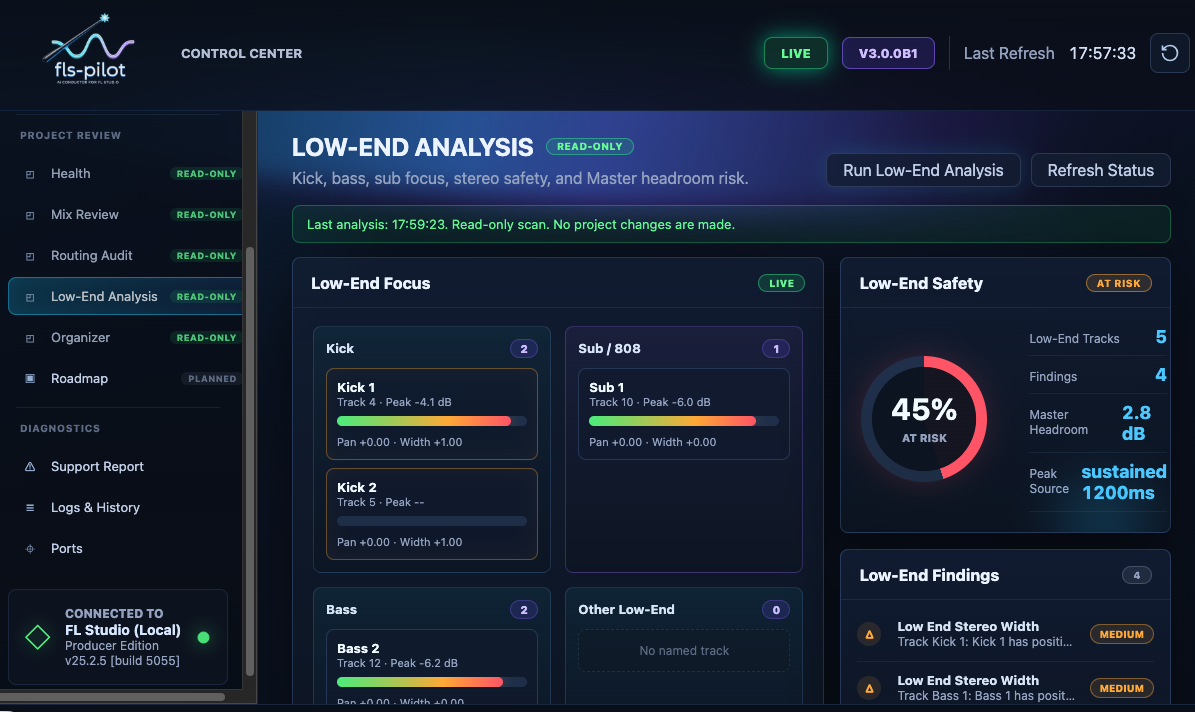
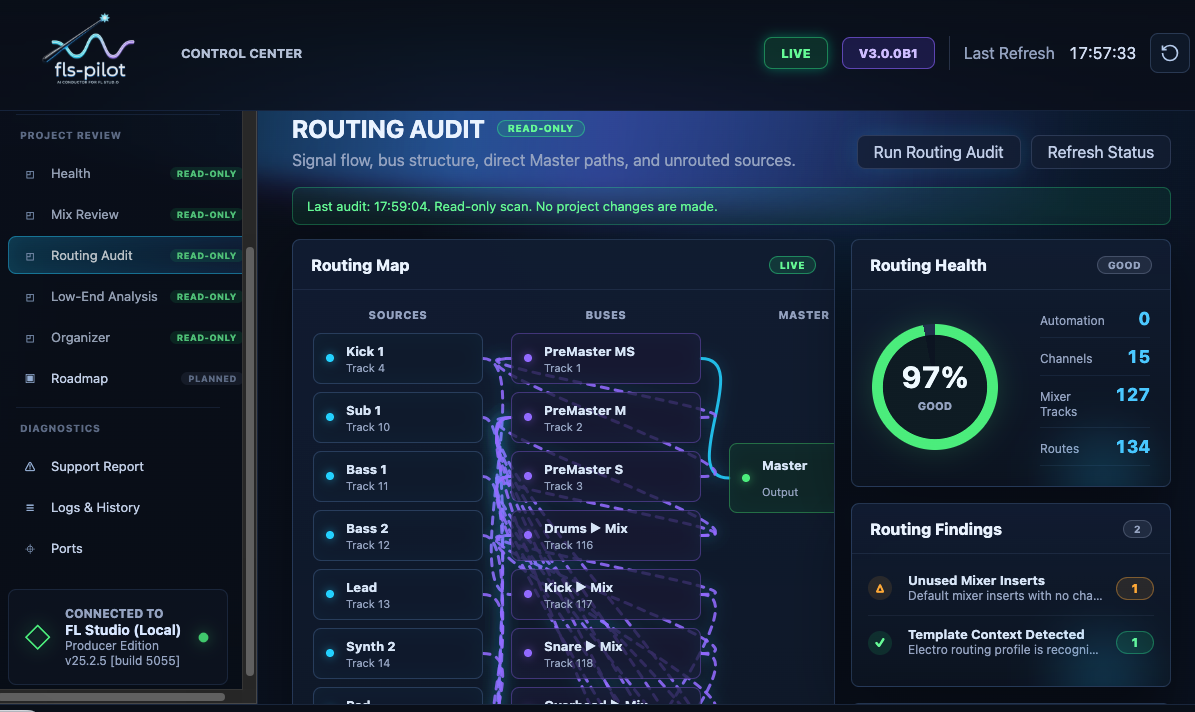
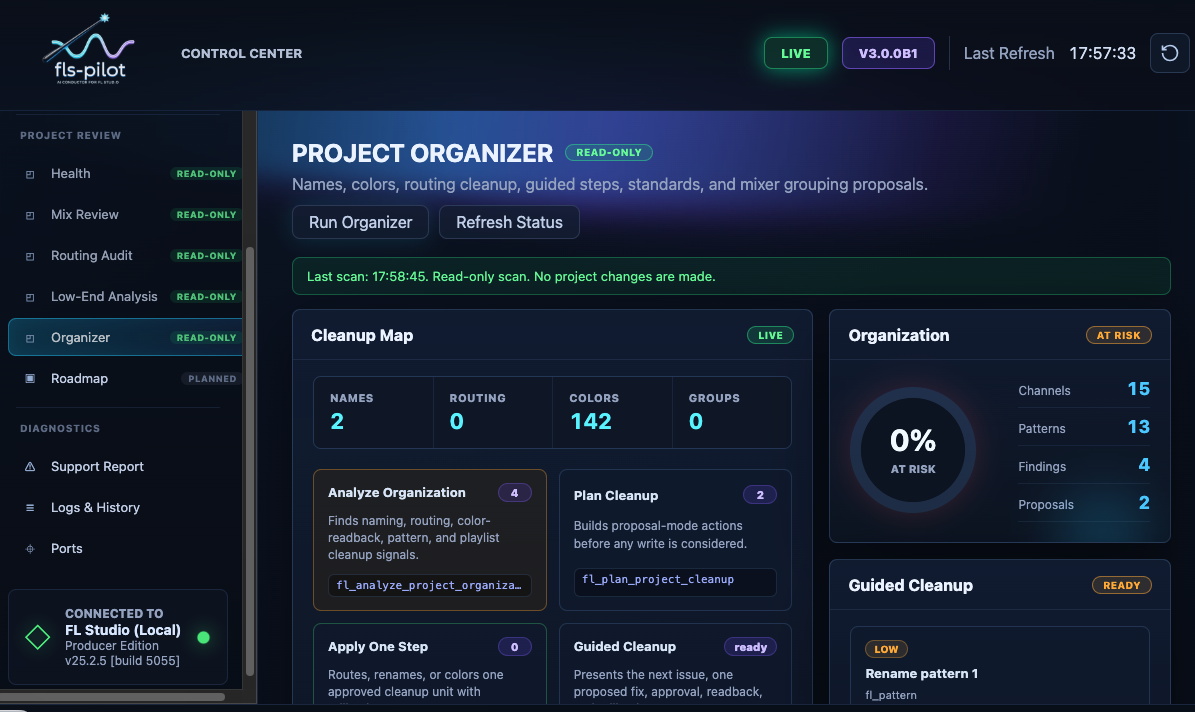
Routing Audit and Organizer focus on structure: route health, bus layout, names, colors, and cleanup candidates.